Online Payment Instructions

Step 1

Visit our secure online payment portal.

Option 1: Login using your billing email address. (Note: This will be the email used for invoicing.  Please contact ar@warrenaverett.com if you aren’t sure if your email address is associated with your account.  Login using email also allows you to view all accounts associated with your email address.)
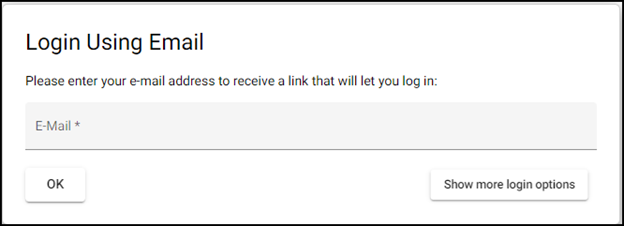
Option 2: Click “Show more login options” and login using your invoice number and amount.

Step 2

Select the invoice(s) you want to pay and select your Payment Option.

And the rest is easy! You can pay by ACH, Credit Card or Debit Card.

Step 3

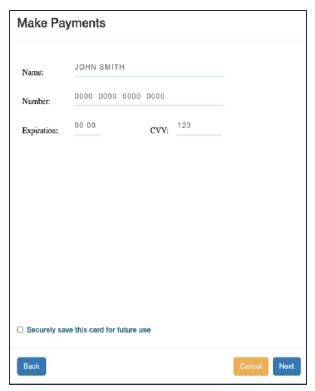
Key in your payment details with the option to save it for future payments.
Once the payment is successful, a Payment Confirmation will be emailed to you!

Top