Six Red Flags of DIY IT (and What To Do if You See Them in Your Business)

Managing your company’s IT in-house may seem like a smart way to cut costs and maintain control over your systems. But without the right expertise and oversight, a DIY approach can quickly do more harm than good.
So how can you tell if your in-house IT setup is truly working—or quietly putting your business at risk?
If you’re managing IT yourself, it’s crucial to recognize the warning signs before small issues turn into major problems. Here are some red flags to watch out for (and what to do if you see them).
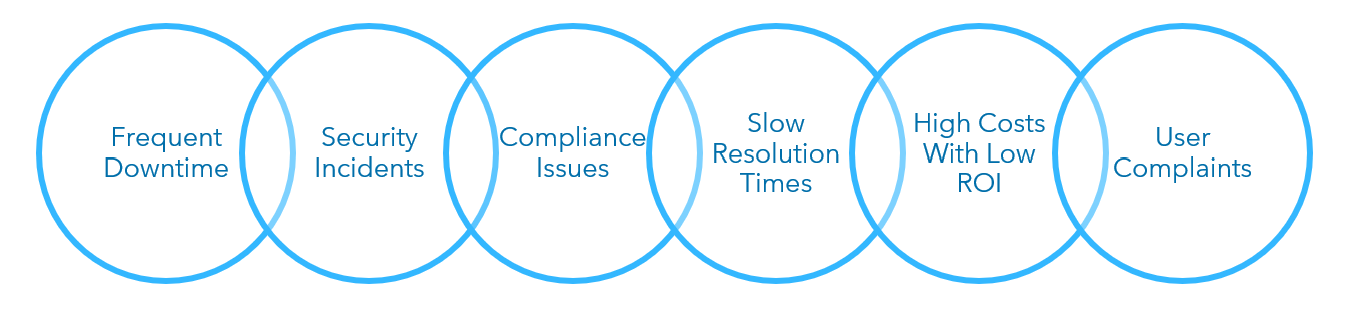
1. Frequent Downtime and Outages
An isolated outage can happen to any IT setup. But if your systems are down often, it’s a sign that something isn’t right.
Significant IT downtime is most likely due to weak IT infrastructure or poor system maintenance. Without a robust IT infrastructure, your company may be exposed to security vulnerabilities, suffer inefficiencies and encounter challenges when it comes to scalability and growth; outdated systems and data management processes will quickly create roadblocks.
To help limit downtime and outages, improve your IT infrastructure by upgrading your organization’s hardware and software and implementing a proactive system maintenance program.
Incorporating redundancy strategies is also necessary to eliminate single points of failure and improve system availability. When implemented correctly, you’ll have redundancy in key areas like networks, power and storage systems that help keep your systems going.
2. Security Incidents
Suffering a security incident or cyberattack is one of the clearest signs that your IT needs improvement. If your company has suffered any kind of cyber incident, it’s critical to take the proper steps toward remediation and to consider future prevention.
Often, breaches can be traced back to a lack of employee training or a weak cybersecurity plan.
Review your employee training programs and ensure that employees understand their role in prevention and what to do when a breach occurs. It’s also important to strengthen your IT security protocols, apply best practices and implement advanced monitoring tools.
3. Compliance Issues
Failing to meet regulatory or industry standards is one of the most serious warning signs for any organization’s IT operations. Often, non-compliance stems from poor data management practices or simply not knowing the regulations.
To stay compliant, you have to stay informed. IT regulations change constantly, and it’s your responsibility to ensure your organization’s practices align. Strengthen your data protection strategies, improve your audit trails and regularly assess your processes.
4. Slow Resolution Times
Are your IT issues resolved quickly, or are you left in the dark for days about your problems?
Slow resolution times and prolonged system recovery can frustrate employees, disrupt workflows and reduce the overall efficiency of your organization.
An IT environment with slow resolution times is likely to have an understaffed IT department and inefficient IT processes. Poor communication channels for reporting problems can compound the issue.
The best way to resolve slow resolution time issues is to have an objective third-party provider review your IT environment, evaluate the practices in place and make actionable recommendations that will help streamline workflows.
5. High IT Costs With Little ROI
Ideally, the money you spend on IT will enhance your company’s profitability. But if your IT expenditures are increasing without corresponding results, it can indicate an underlying issue.
Low return on your IT investment commonly occurs because of insufficient resource allocation, poor IT project management or inappropriate performance metrics.
To get the most out of your IT, it’s important to have a strategy behind the expenses. Begin by prioritizing IT projects according to business value, and use proper key performance indicators (KPIs) to effectively measure your IT’s performance. It may also be a good idea to reevaluate your IT oversight.
6. User Complaints and Dissatisfaction
Do your employees have frequent complaints about inadequate support or poor system design? If so, it’s essential to pay careful attention to this type of feedback.
If your organization is resistant to making necessary IT changes, you can expect decreased employee morale and backdoor IT practices that may introduce security vulnerabilities into the environment.
Focus on providing user-friendly interfaces, improving IT support and responding to your team’s feedback about your systems.
Consult Experienced Professionals To Help With Your IT
Effective IT in today’s environment requires multiple areas of expertise. Even if your in-house IT team is skilled, in many cases, handling every aspect of your organization’s IT on your own often isn’t in your best interest.
No matter your situation or the size or type of your company, it can always help to have a trusted third-party provider objectively review your IT setup, identify red flags and make recommendations.
Connect with Warren Averett Technology Group today to make sure that your IT is working for your company.
